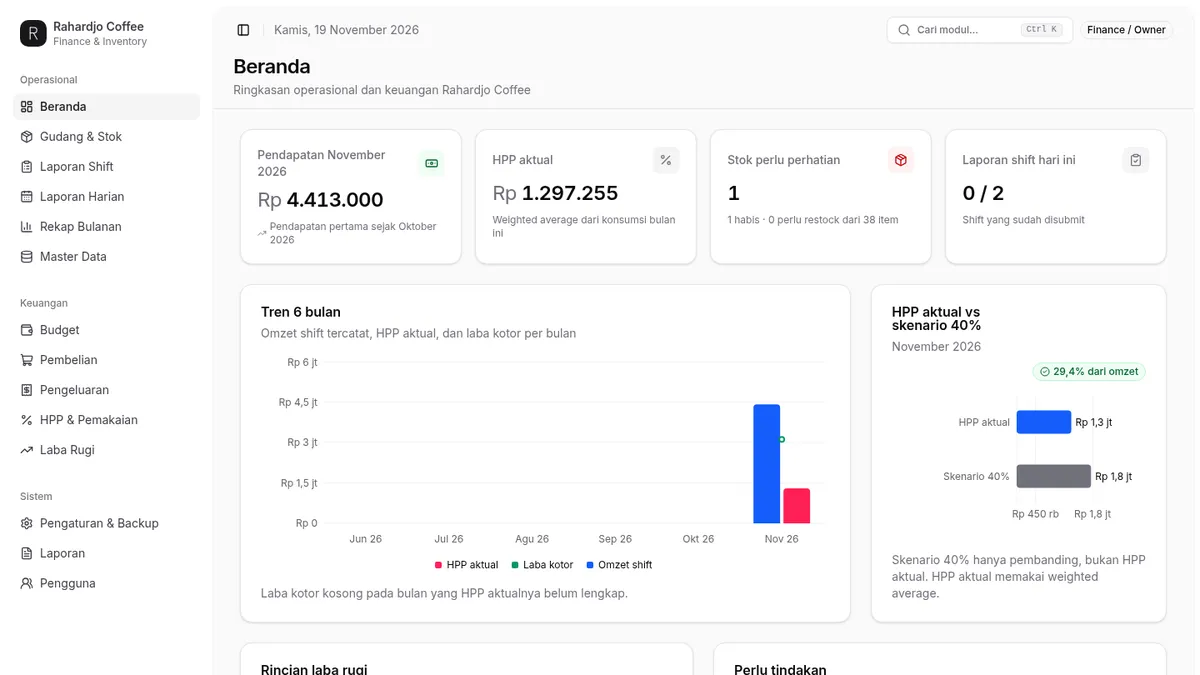
Rahardjo Finance
Full-Stack Developer
Rahardjo Finance is a live finance & inventory web app for Rahardjo Coffee, built with React 19, Vite, Tailwind CSS v4 and Supabase. It records Shift 1 and Shift 2 separately and merges them into daily reports, tracks every stock change as a mutation, costs goods with a weighted-average HPP, and produces profit & loss reports — with role-based access so baristas only see operational modules while admin, finance and owner see the full picture.
Key features
Per-shift reporting, merged daily
Shift 1 and Shift 2 are recorded separately, then merged into a single daily report — so the finance team sees both the per-shift detail and the day total without double entry.
Traceable stock & mutations
Every stock change is recorded as a mutation with its source, so the warehouse balance is always explainable — what came in, what went out, and why.
Weighted-average HPP costing
Cost of goods is calculated with a weighted-average HPP and compared against a 40% scenario, giving the owner a realistic margin picture instead of a rough estimate.
Profit & loss reporting
Revenue, HPP and expenses roll up into a profit & loss report, so the finance team can see net profit for the month without building spreadsheets by hand.
Role-based access
Baristas only see operational modules, while admin, finance and owner accounts see the full system — the right people see the right numbers, and nothing more.
Screens
A walk through the key screens in Rahardjo Finance, one at a time.
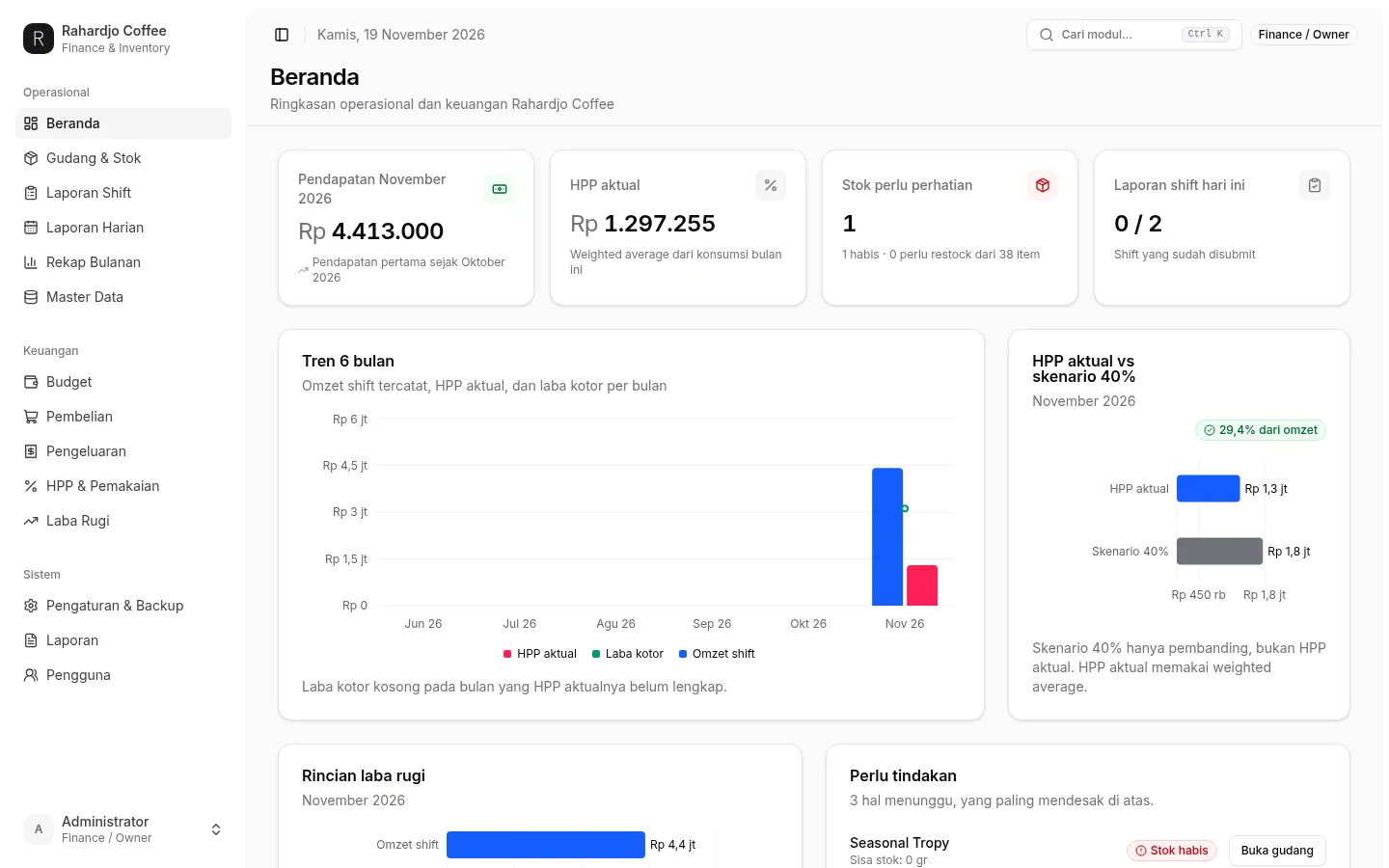
Beranda
The daily home screen. Revenue, stock and shift status sit above the key figures, so the finance team reads the day at a glance.
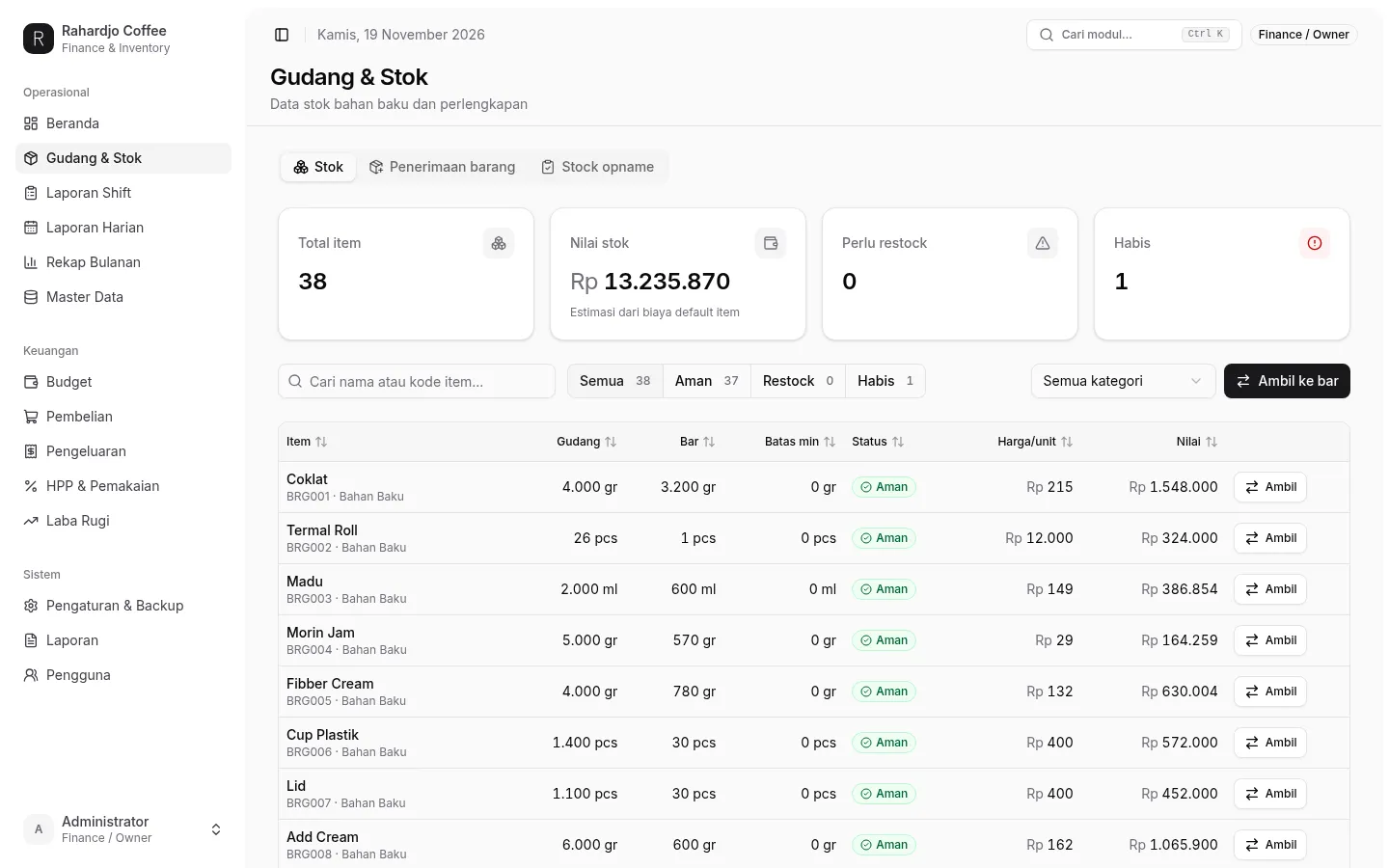
Gudang
The warehouse view. Every item is listed with its current stock, so the team knows what is available and what is running out.
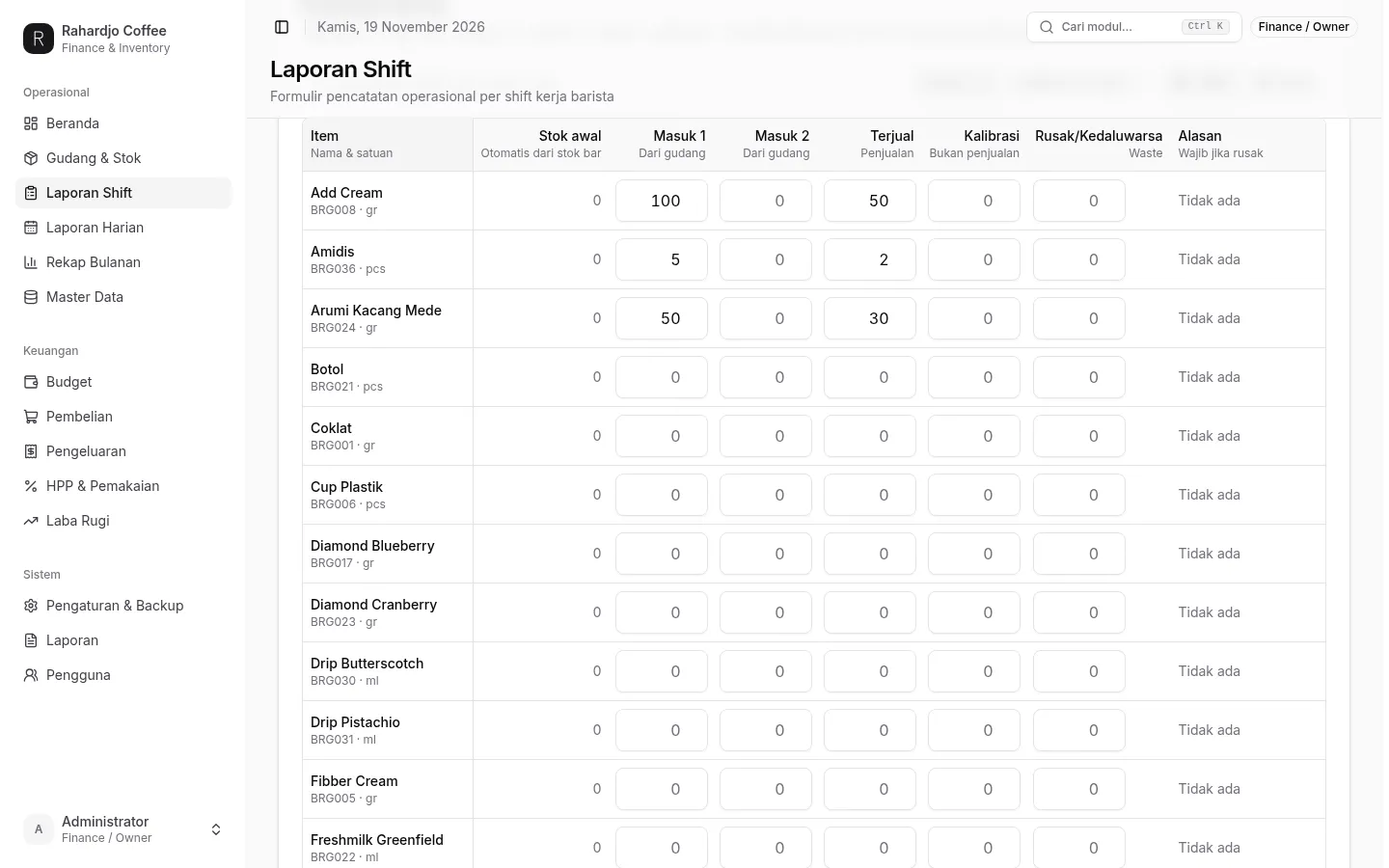
Laporan Shift
Shift reports. A five-step form per work shift: pick the date and shift, record stock taken from the warehouse and items sold, note calibration and waste, enter the turnover deposit, then send the report. Only sold items count as sales.
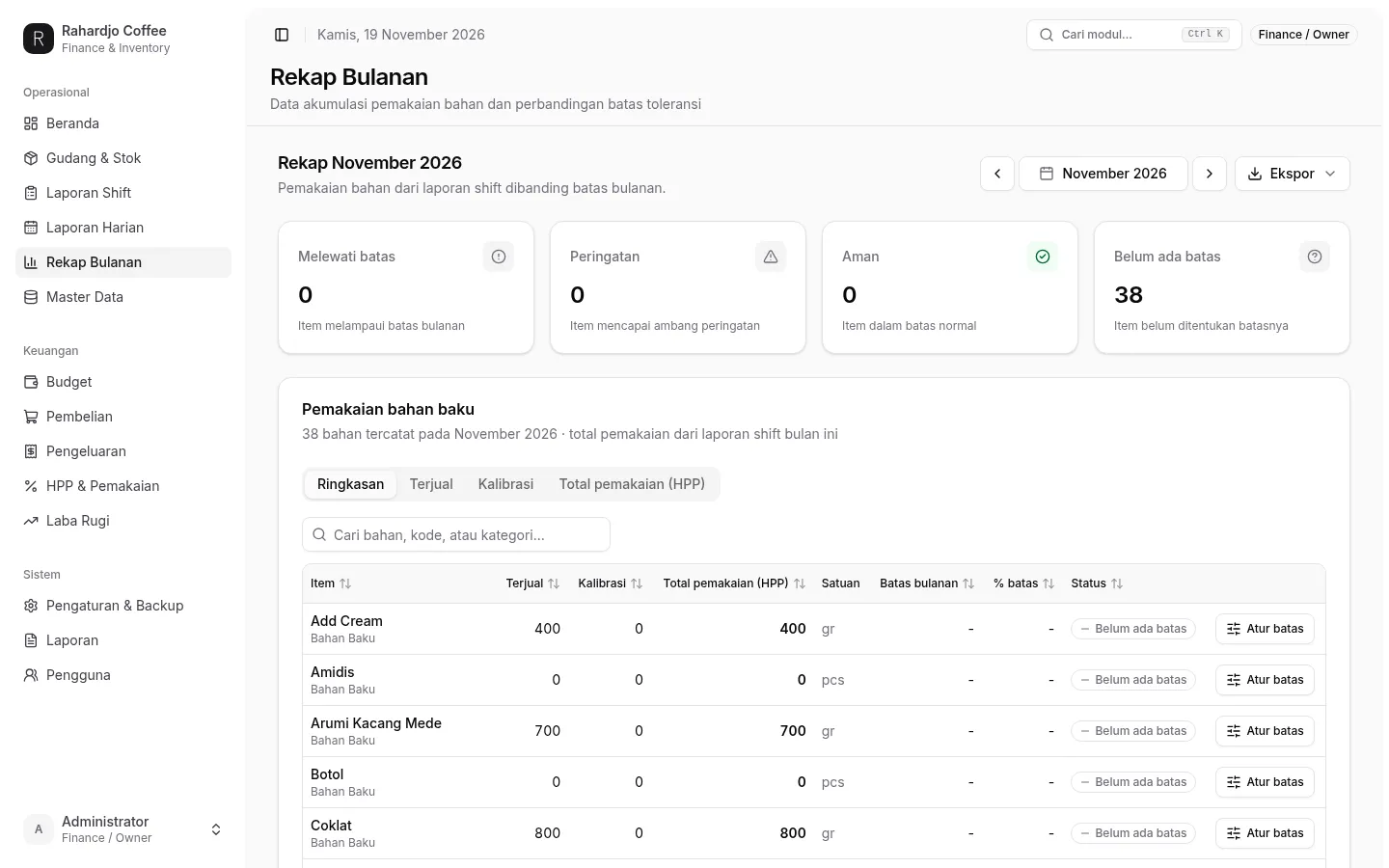
Rekap Bulanan
Monthly recap. Usage per item accumulates across the month with tolerance limits, so the team spots which ingredients are running over before the month ends.
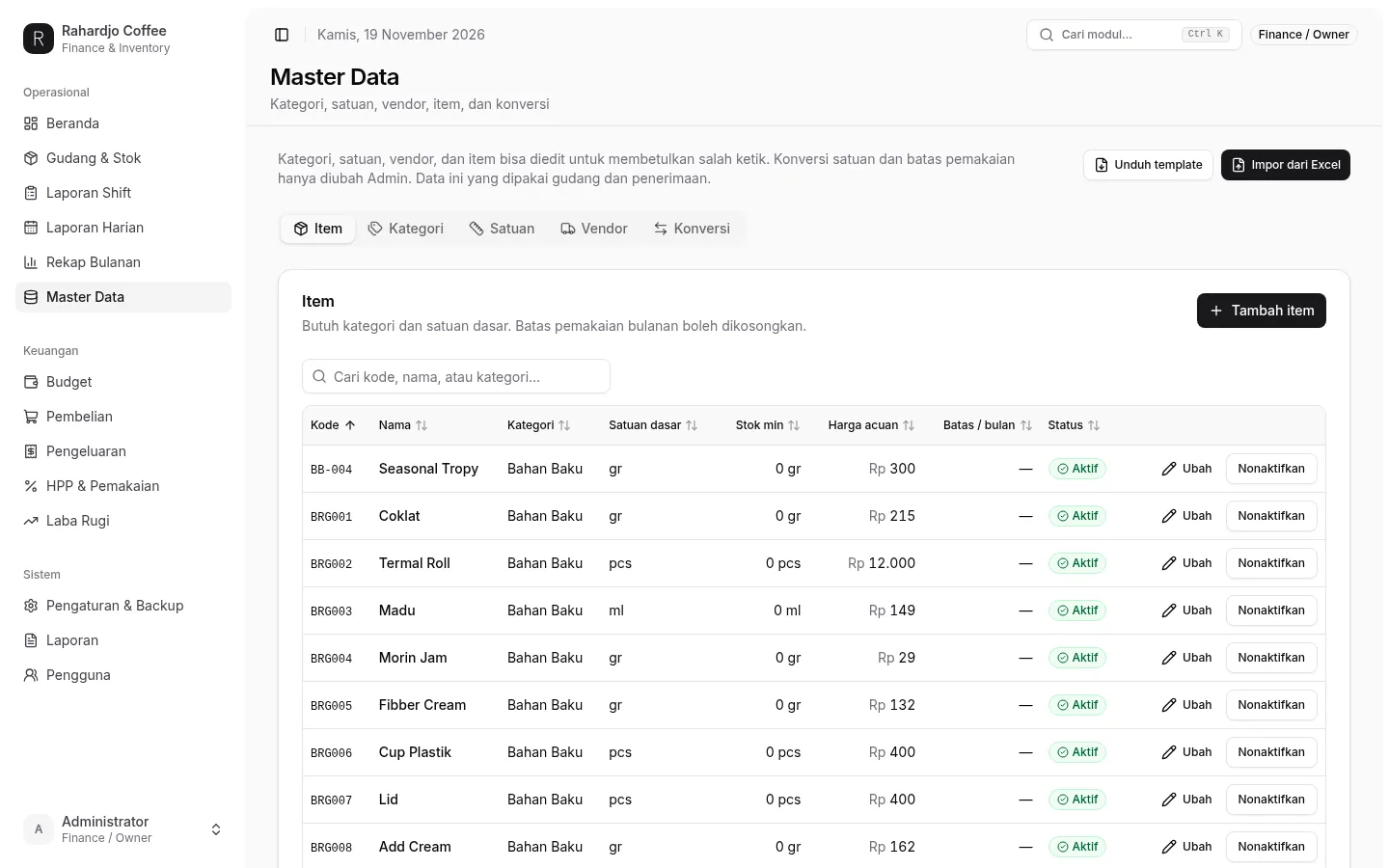
Master Data
Master data. Categories, units, vendors, items and conversions are all editable here — the single source of truth the warehouse and receiving screens read from.
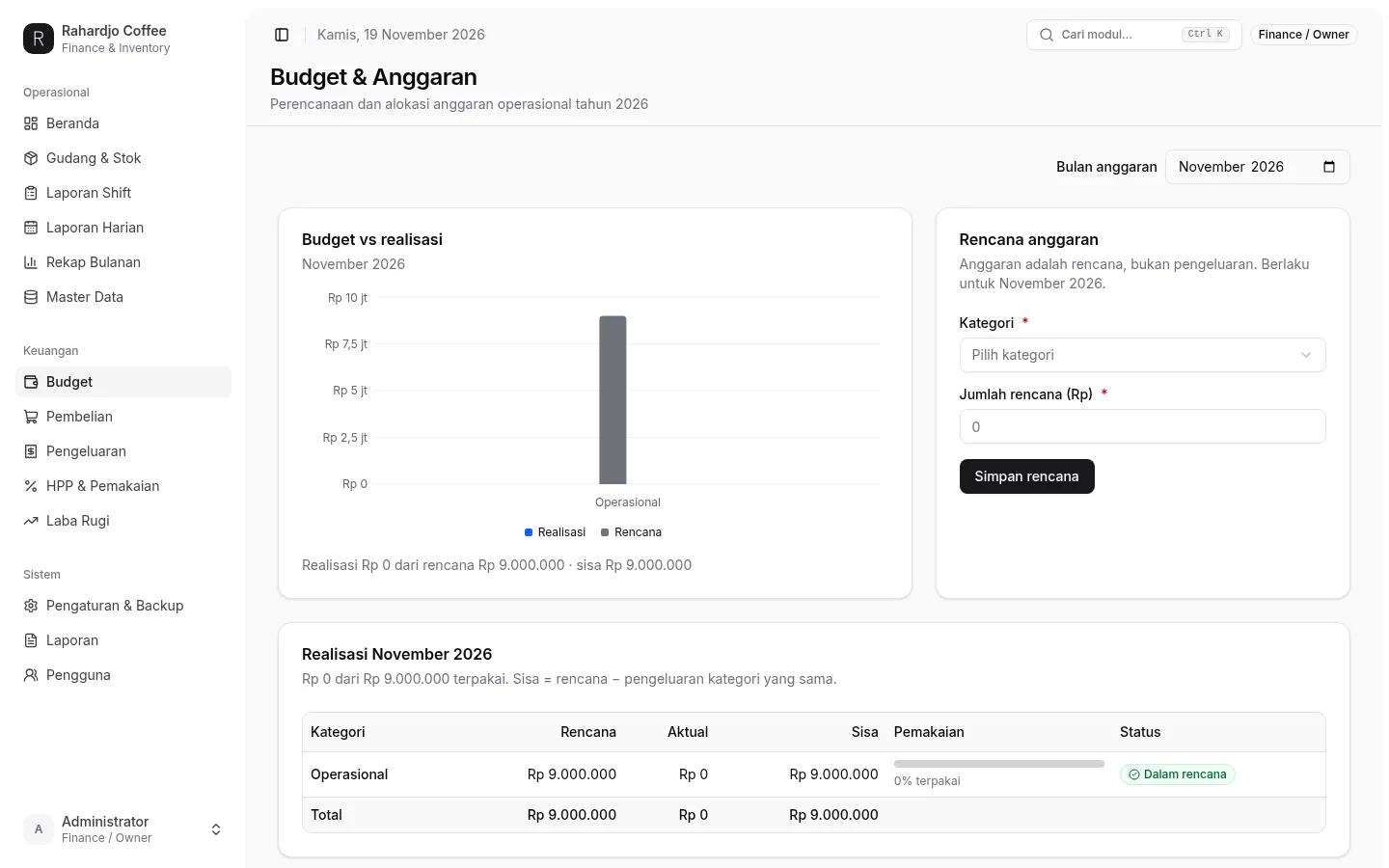
Budget
Budget and planning. The monthly plan is set per category and compared against actual spending, so the owner sees how much of the budget is used and what is left.
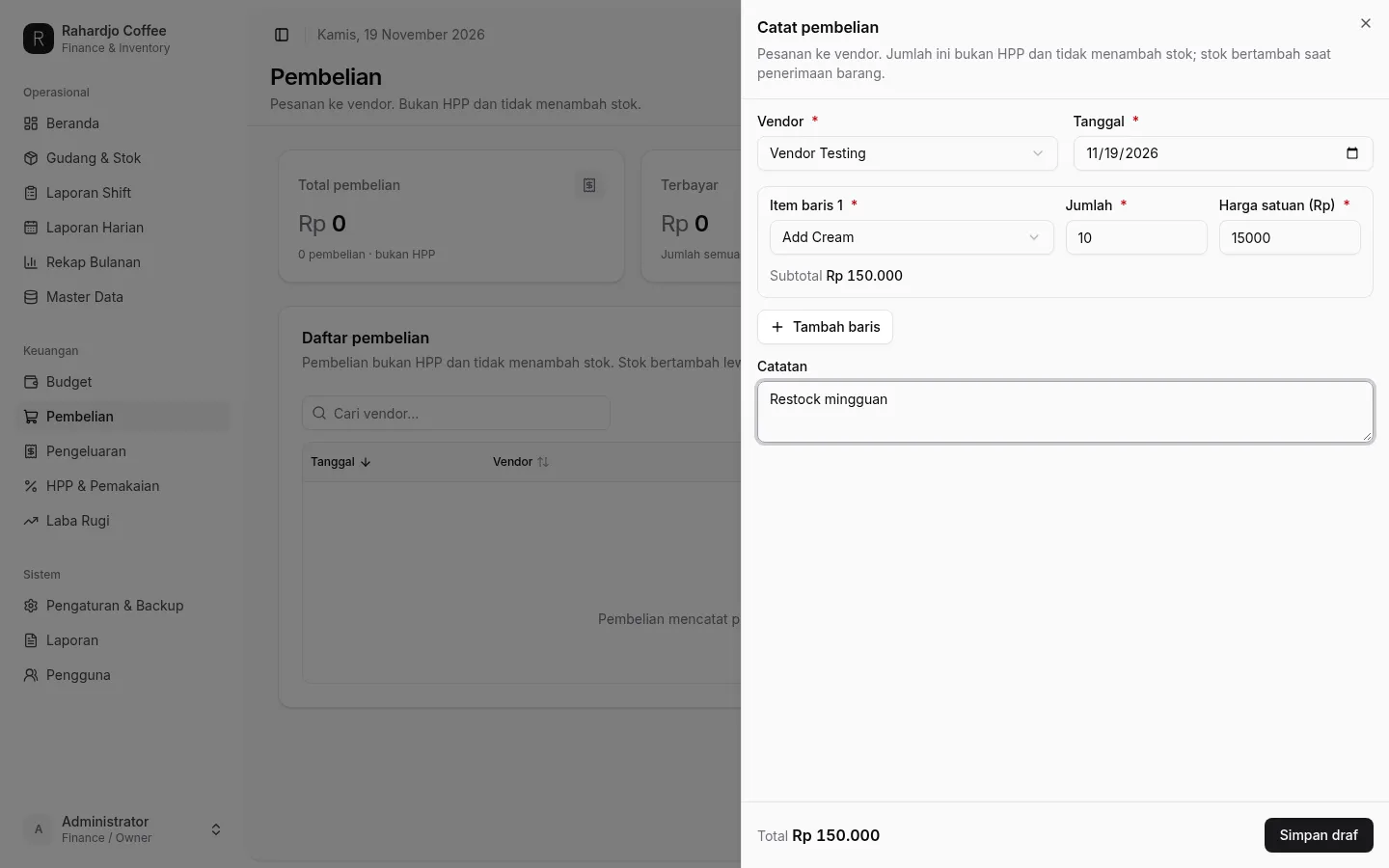
Pembelian
Purchase orders. Create an order to a vendor with line items, quantities and unit prices; the order stays a draft until saved, and it never touches HPP or stock — stock only grows on goods receipt.
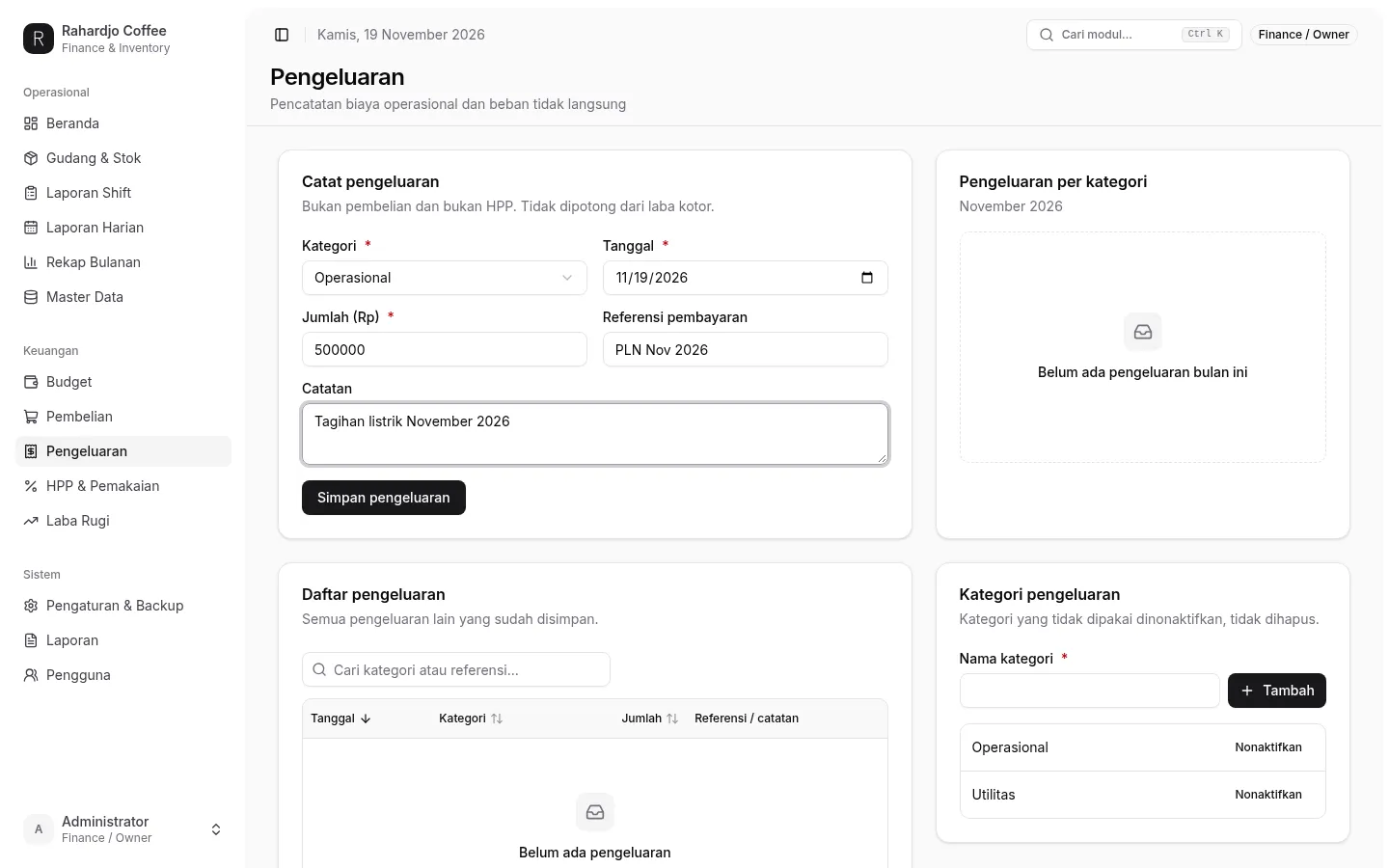
Pengeluaran
Other expenses. Record operating costs that are neither purchases nor HPP — for example a utility bill — with a category, date, amount and note, so the budget and profit-and-loss stay honest.
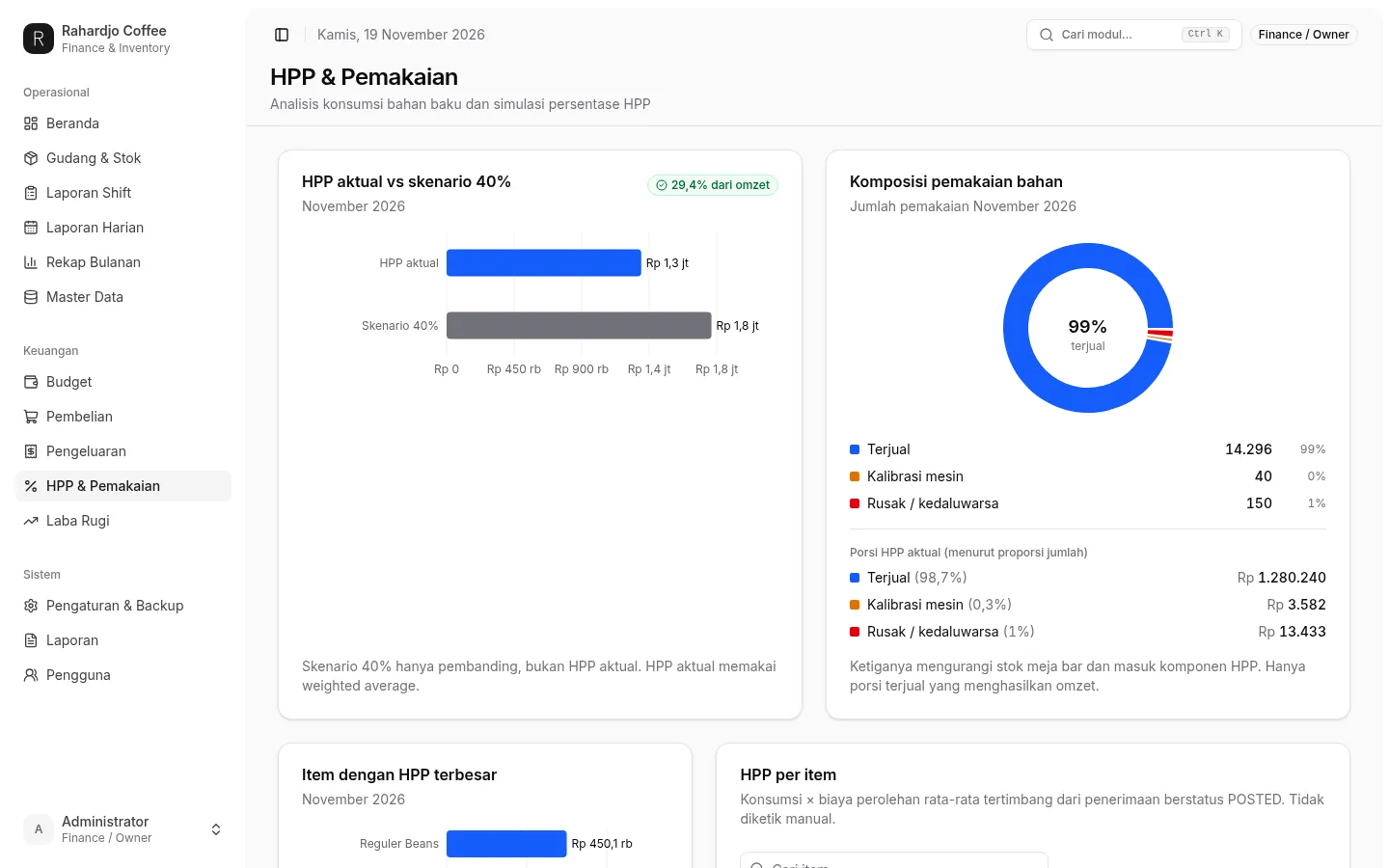
HPP
HPP and usage. Weighted-average cost is broken down per item, so the real cost behind every cup is visible.
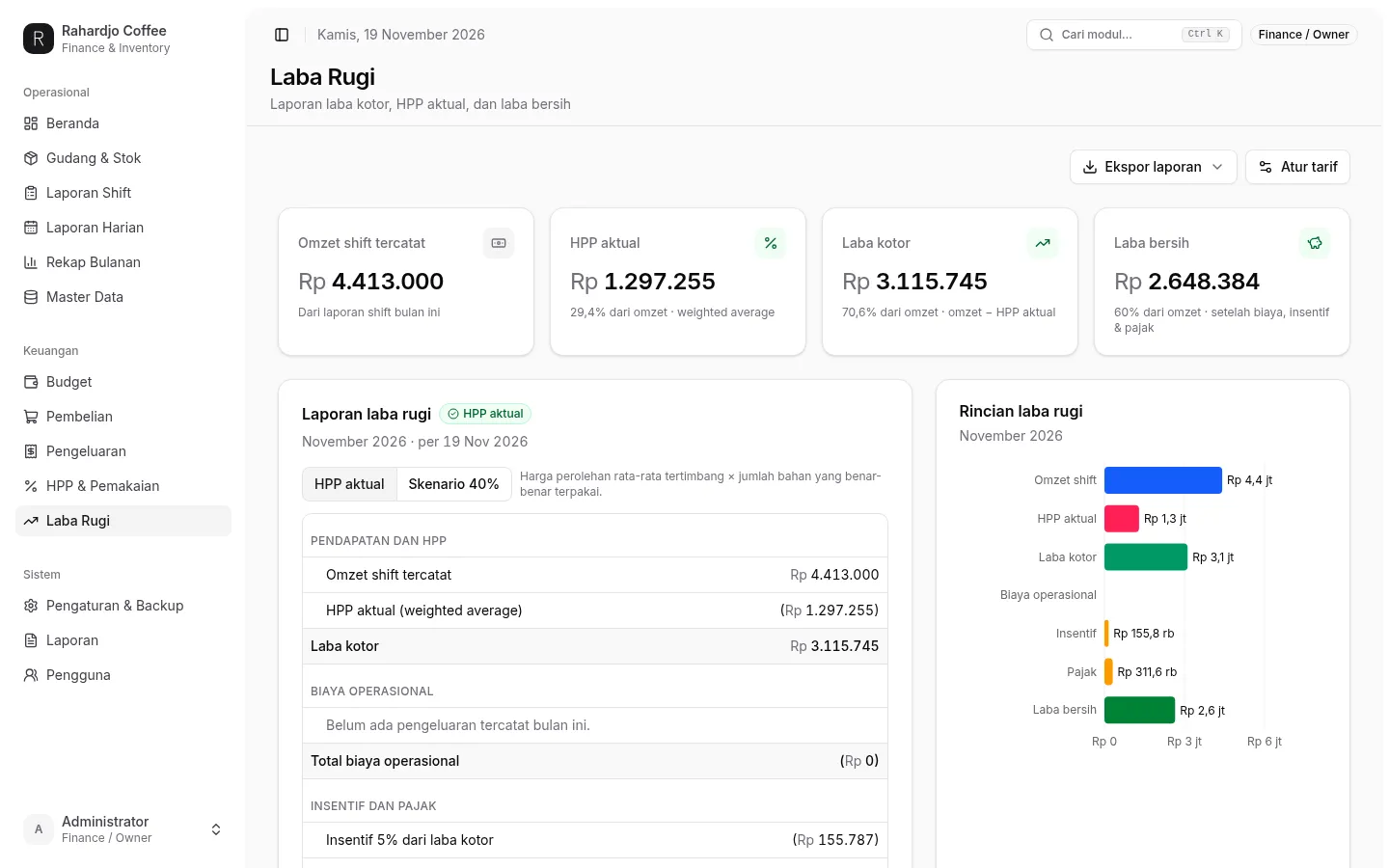
Laba Rugi
Profit and loss. Revenue, HPP and expenses come together into the net result for the period.
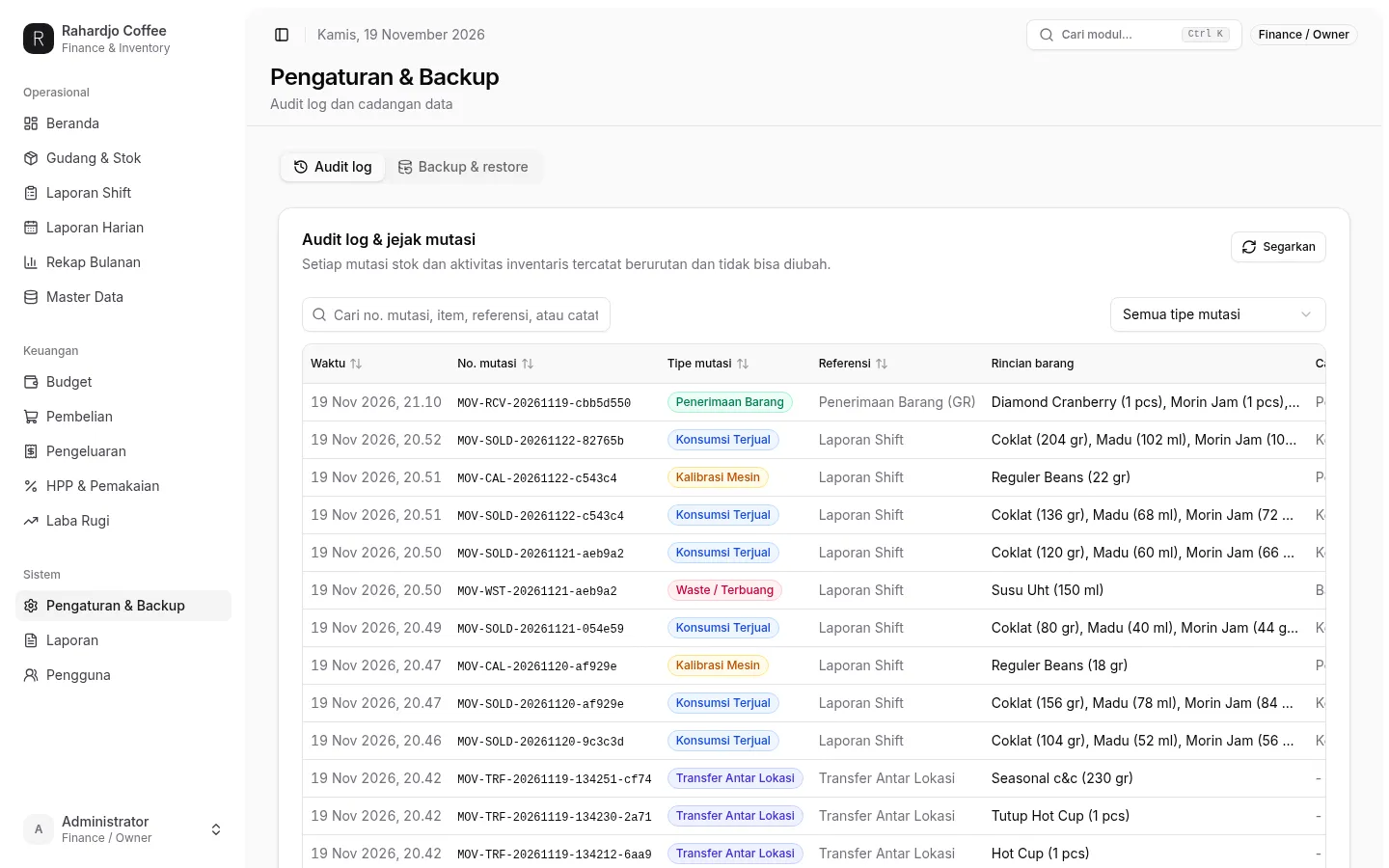
Pengaturan
Settings and backup. Data export and restore controls sit here, so the finance records are never locked inside the app.
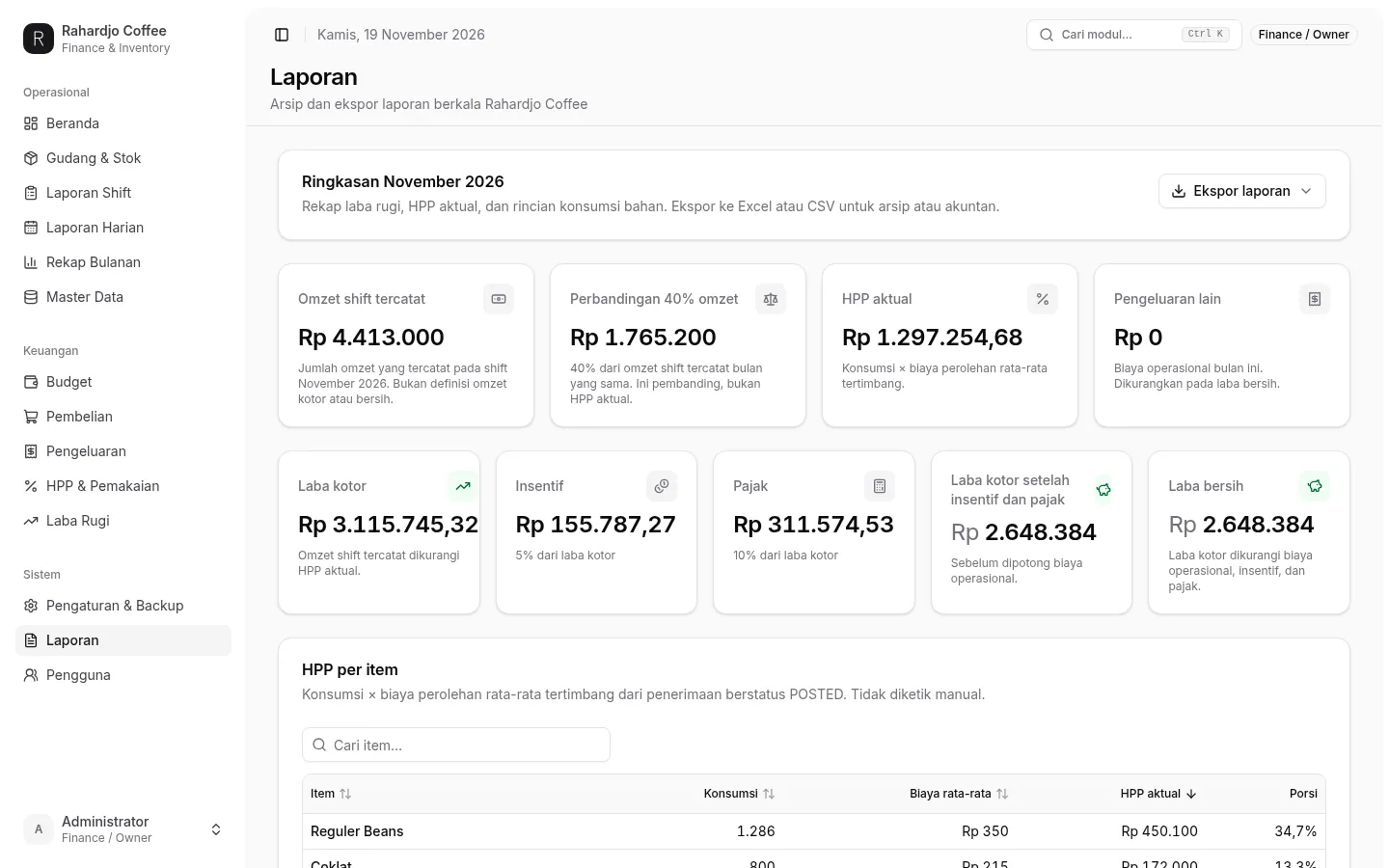
Laporan
Reports and archive. The monthly summary — recorded shift revenue, HPP, gross profit, incentives, tax and net profit — is ready to export to Excel or CSV for the accountant.
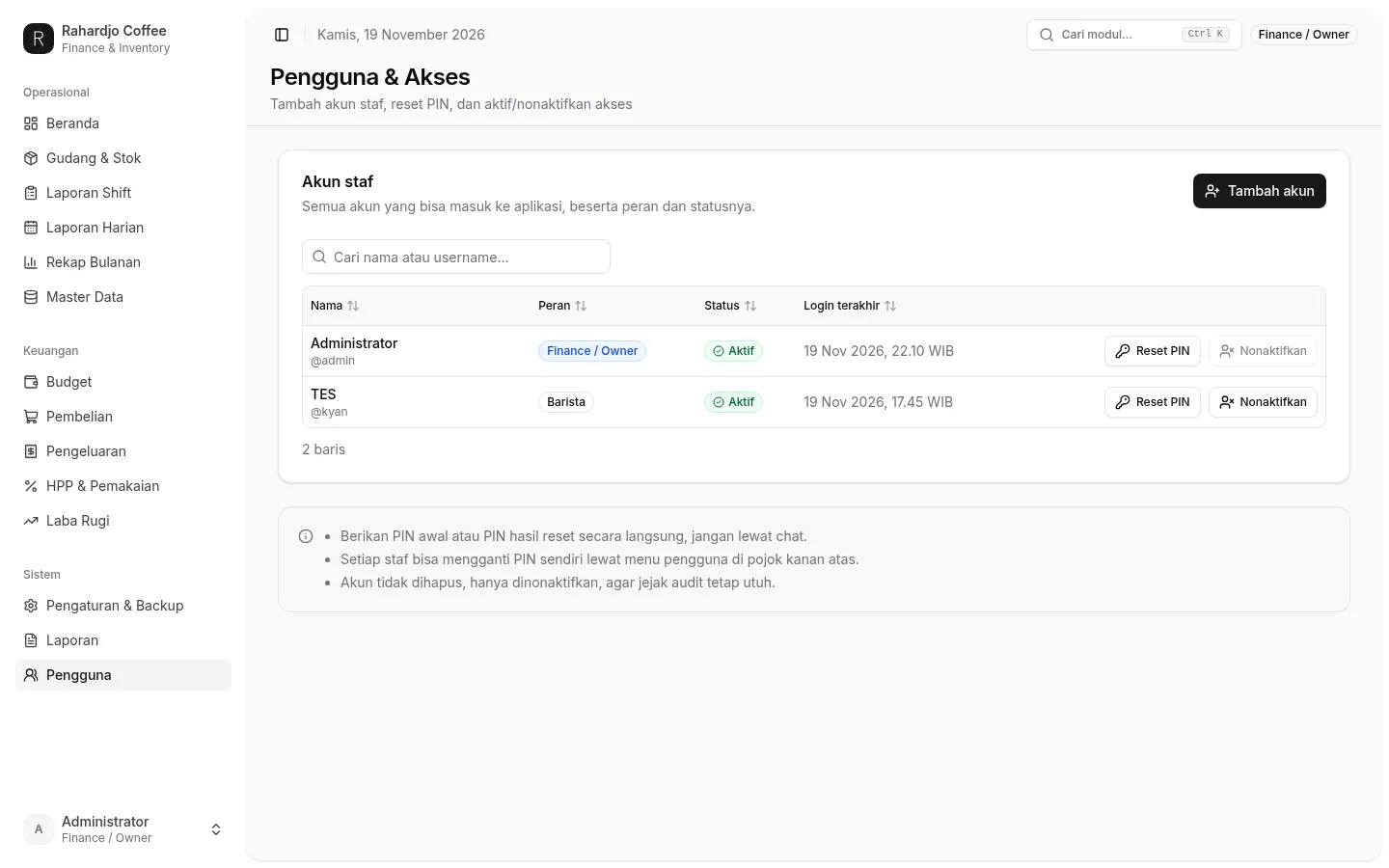
Pengguna
Users & access. Two roles run the shop: Finance / Owner manages staff accounts, PIN resets and activation; Barista runs daily operations and can edit master data, but cannot delete anything. Accounts are never deleted, only deactivated, so the audit trail stays intact.