Kopi POS
Full-Stack Developer
Kopi POS is an open-source, offline-first tablet point of sale for specialty coffee shops and small food & beverage businesses. It runs on an Android tablet and keeps every sale in a local SQLite database, so the counter keeps working when the internet does not. A sale is saved before anything is printed, prices are whole Rupiah with no floating-point money, and the cost of goods (HPP) is captured at the moment of sale so historical profit never changes when ingredient prices move. It is built to be understood quickly: a plain React + TypeScript web app wrapped with Capacitor, with all business rules kept as pure functions that are unit tested. The Android app is installed from GitHub Releases — the APK is never stored in the repository.
Key features
Tablet-first cashier
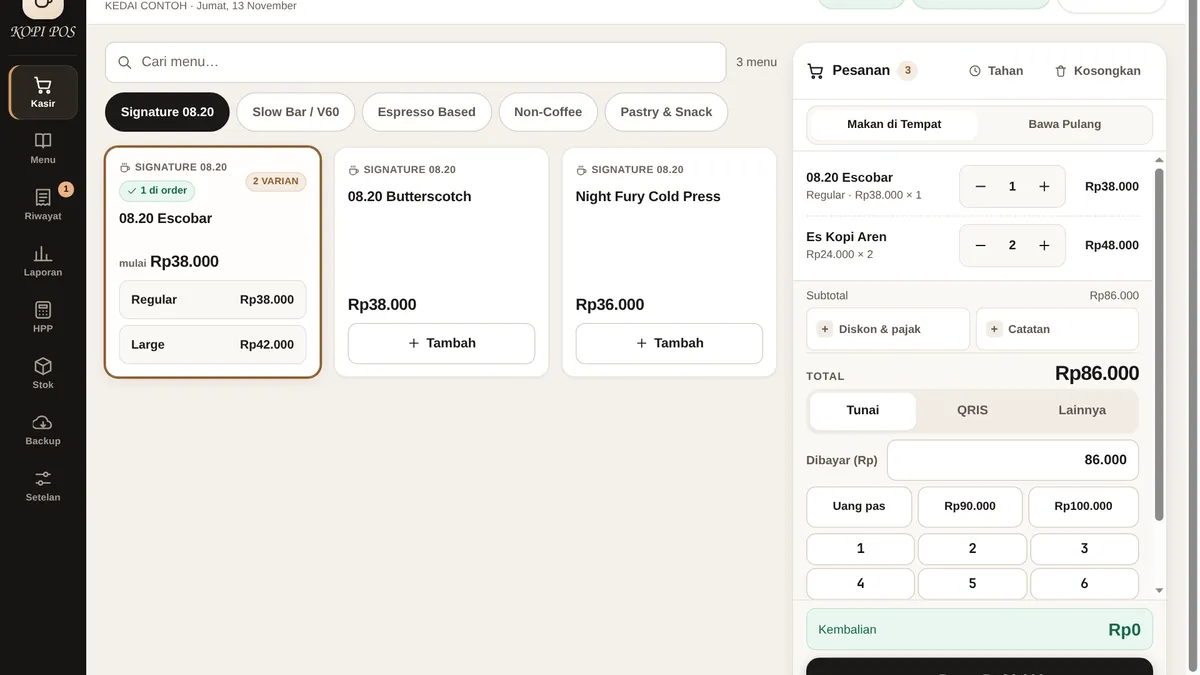
Large touch targets, product search, category chips, variants, an on-screen numpad, hold orders, and dine-in or take-away — the whole checkout fits one screen a cashier can work with one hand.
Offline first with local SQLite
Every sale, stock movement and shift is committed to a local SQLite database on the device. Optional sync runs as a background outbox and never blocks checkout, so a dead connection never stops a sale.
ESC/POS Bluetooth 58mm receipt printing
Receipts print over Bluetooth to 58mm thermal printers, including a raster store logo. A printer failure never cancels a sale that is already saved — the sale stands and the receipt can be reprinted.
Recipe-based HPP costing
Cost of goods is tracked per ingredient with a stock ledger, either manual or recipe-based, with live margin warnings. HPP is captured at the moment of sale, so a later ingredient price change never rewrites history.
Supervisor-PIN void & refund
Voids and refunds are protected by a supervisor PIN, with a persistent lockout after repeated wrong attempts. Stock is restored through ledger entries, so every correction leaves an audit trail.
Shifts, reports & gross profit
Opening cash, shift summaries, daily and hourly sales, top products, payment-method split and gross profit — the numbers a small shop owner checks every day, without a cloud dashboard.
Encrypted backup & over-the-air updates
Backups export and restore as AES-GCM encrypted JSON, and the web bundle updates over the air from GitHub Releases — with an automatic rollback if a new bundle fails to start.
Screens
A walk through the key screens in Kopi POS, one at a time.
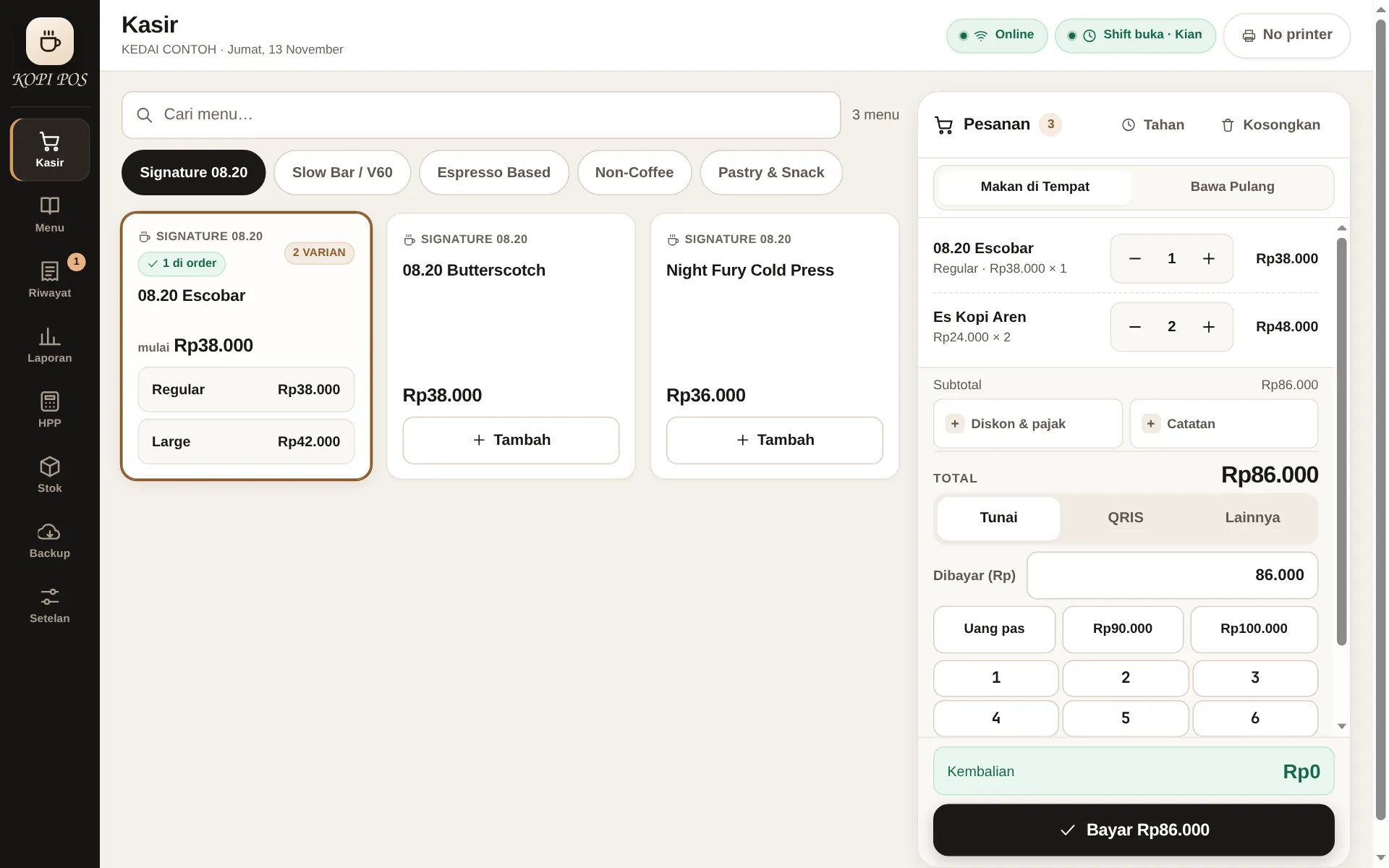
Kasir
The screen a cashier lives in. The product grid sits beside the running order, with search, category chips, variants, an on-screen numpad and a dine-in / take-away switch — all reachable without leaving the page.
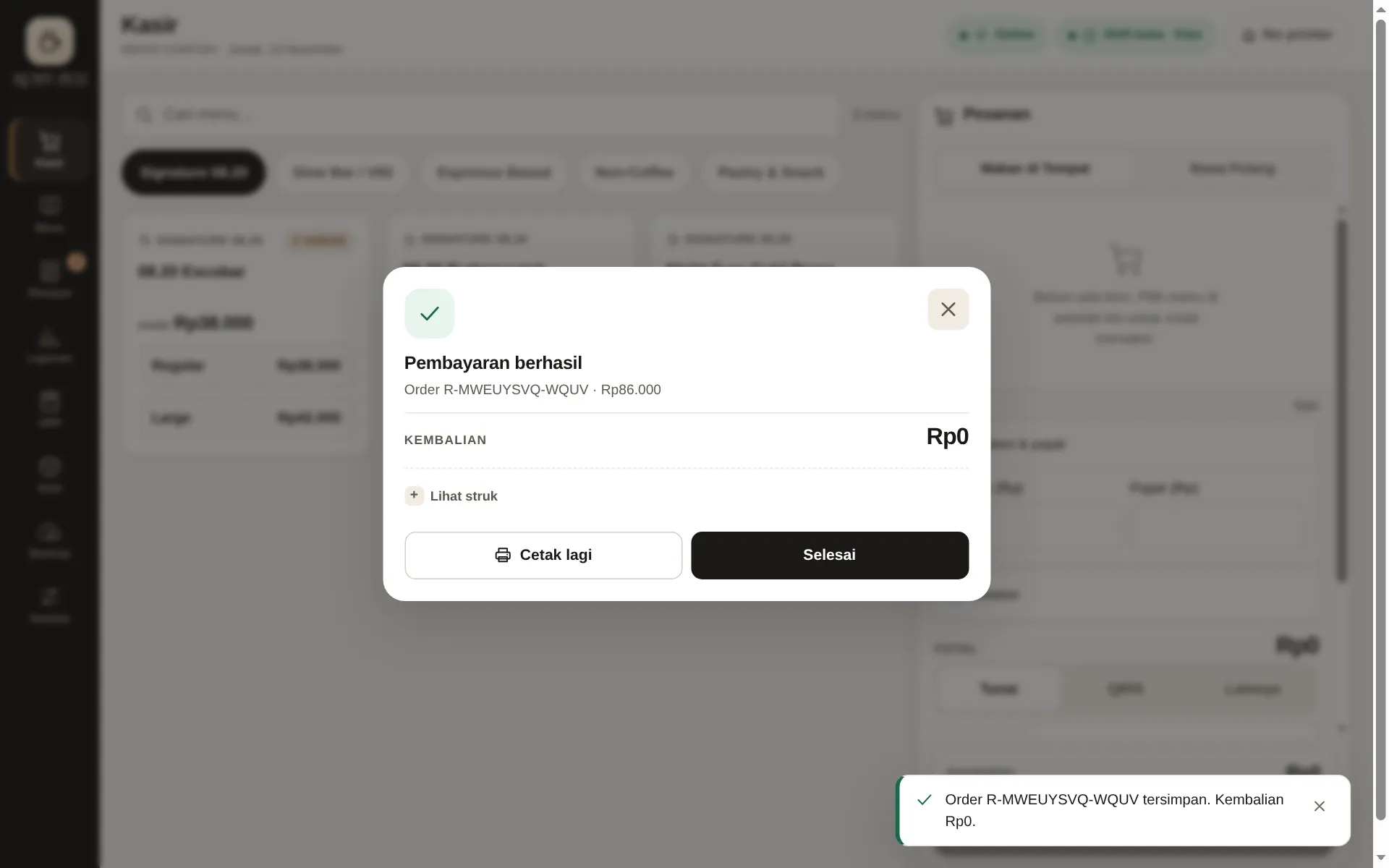
Struk
The receipt preview right after payment: items, totals, cash tendered and change, exactly as it will print on the 58mm thermal printer — the sale is already saved before the slip prints.
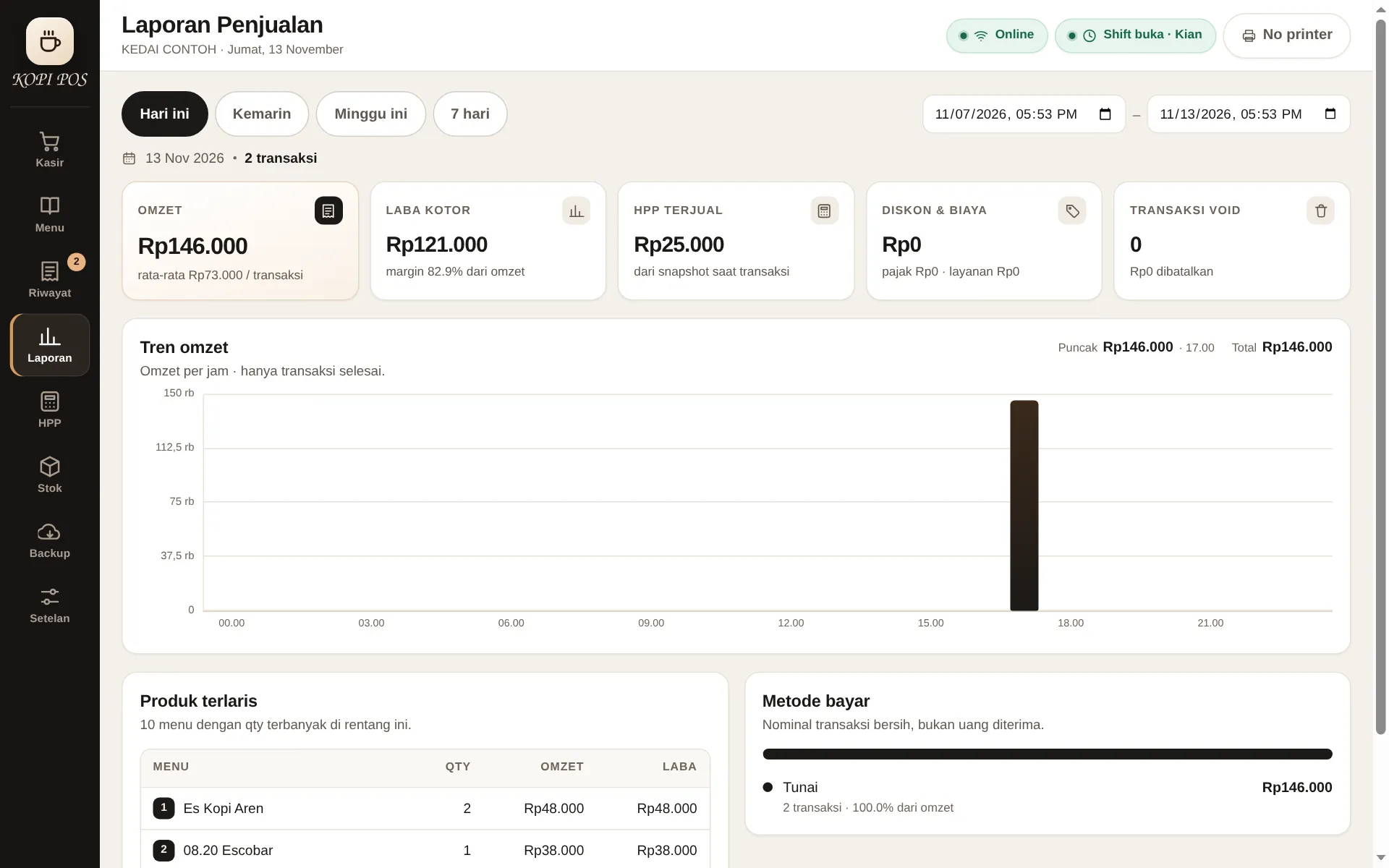
Laporan
The sales report: daily and hourly trends, top products and the payment-method split — the numbers a shop owner checks at the end of the day, computed from the local database.
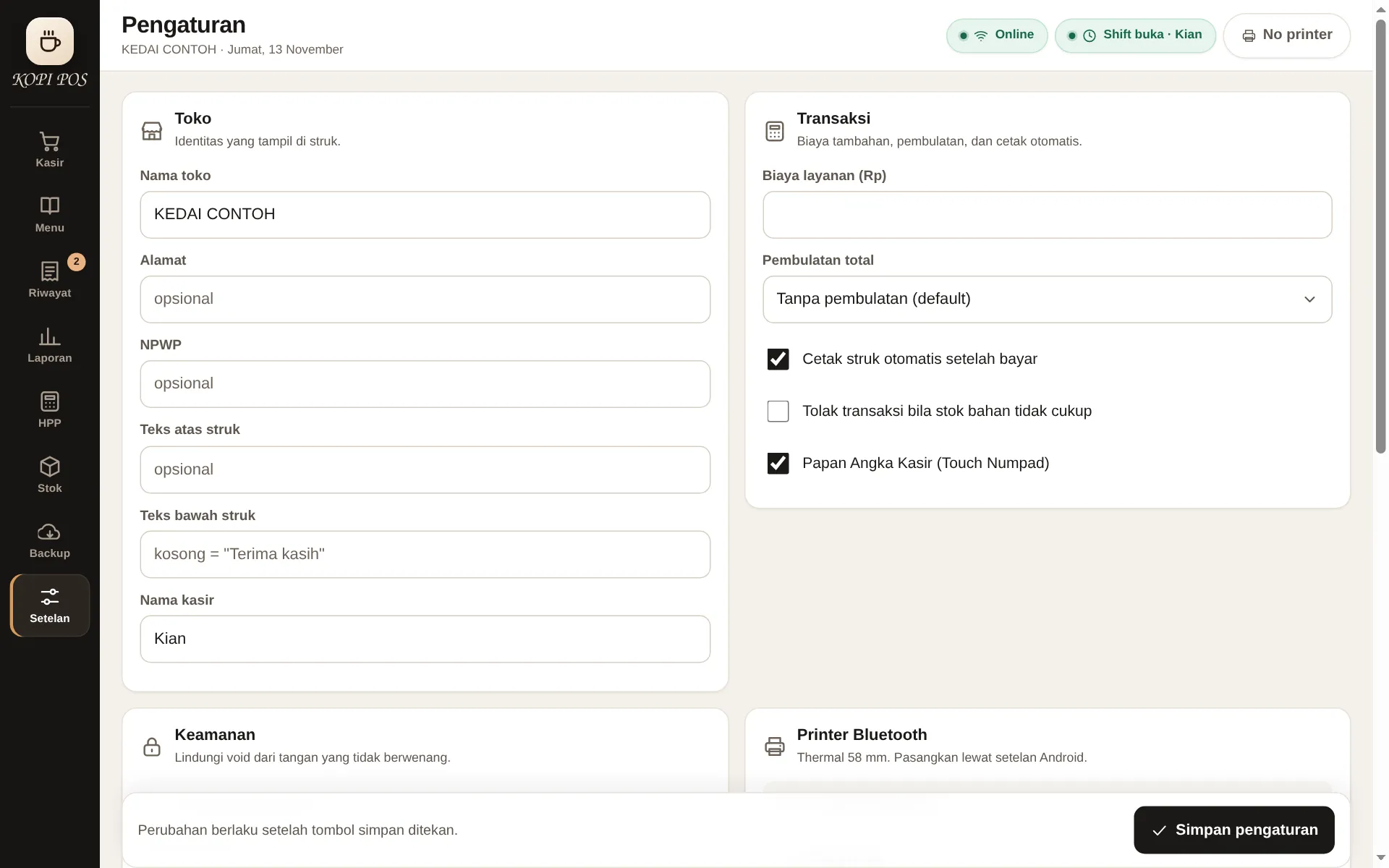
Pengaturan
Settings with the store profile: name, address, tax ID, logo, and the receipt header and footer are all editable here. Nothing is hard-coded to one shop.